The wrong board
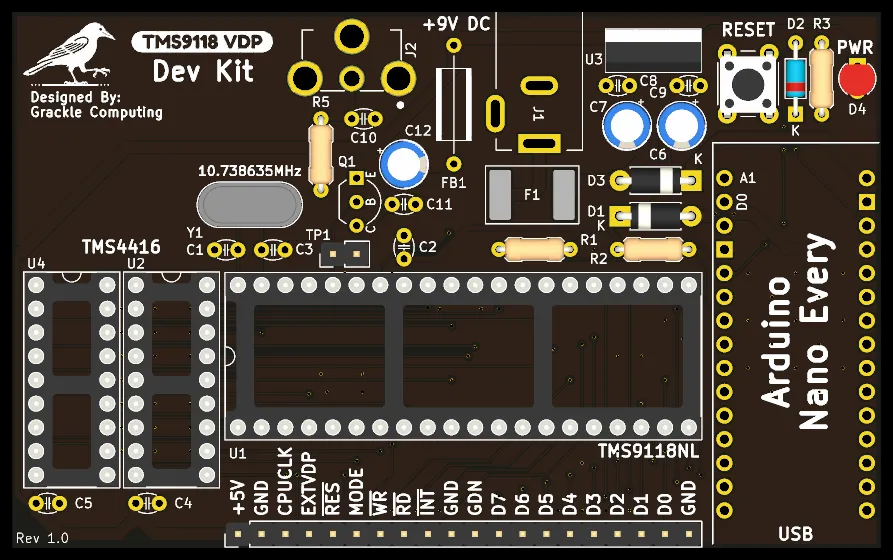
The TMS9118 is a Texas Instruments video display processor: the NTSC composite member of the TMS9918A family, the chip family behind the TI-99/4A, the ColecoVision and MSX1 computers. The “TMS9118 VDP Dev Kit” pairs one with 16 KB of video RAM in two TMS4416 chips and an Arduino Nano Every as host, with composite video on an RCA jack. It was built at OSH Park in 2025. The repository it now lives in began with a different design, from 2023, that was never fabricated.
The Dev Kit exists to test whether a legacy video IC is viable in my homebrew retro SBC projects. The built board gives no picture. The KiCad project in this repository is a revision I never fabricated. Find anything that references “TMS9118 VDP Dev Kit”.
I had already started on the wrong board: I reviewed the repository’s design as though it were the one on your bench. The search then found nothing, and I wrongly concluded that the Dev Kit was the older of the two designs.
The board file is still on the fab site. It is now in the repository.
It’s rev 1.0, dated August 2025, so it’s the newer design. OSH Park had kept only the layout. But a layout records which net every pad is on, so the circuit could be read back from it. Reading it showed the likeliest fault at once: the video output has no load resistor, and the reference designators skip R4.
The Nano firmware is missing too. One option is to spin a new board and write its firmware from the start.
I recommended bringing up the board you already had first. The firmware is needed either way, and rev 1.0 looked one resistor away from working.
A schematic from a layout
What does a KiCad board file remember about its schematic?
More than copper. Each footprint keeps the UUID of the schematic symbol it was placed from, and the name of the sheet that symbol was on. Each pad keeps its pin’s name and electrical type. Nets keep the labels the designer gave them, and nets left unlabelled keep the names KiCad generated, such as Net-(D4-K). What’s lost is the drawing itself: where the symbols sat and how the wires ran.
Reverse-engineer the rev 1 schematic from the PCB, and create any symbols that are missing.
The schematic is Python that writes KiCad files, so it can be regenerated and checked. Two independent sources have to agree: a circuit I wrote by hand, block by block, and a frozen dump of every pad’s net from the board. vdp-hw check rev1 compares them, down to each symbol’s UUID. It also runs KiCad’s own schematic-vs-board check against the untouched board file.
That check held a surprise. It matches parts by reference, so it accepted a part I had deliberately given the wrong UUID. The repository’s own UUID comparison is what proves the link to the built board.
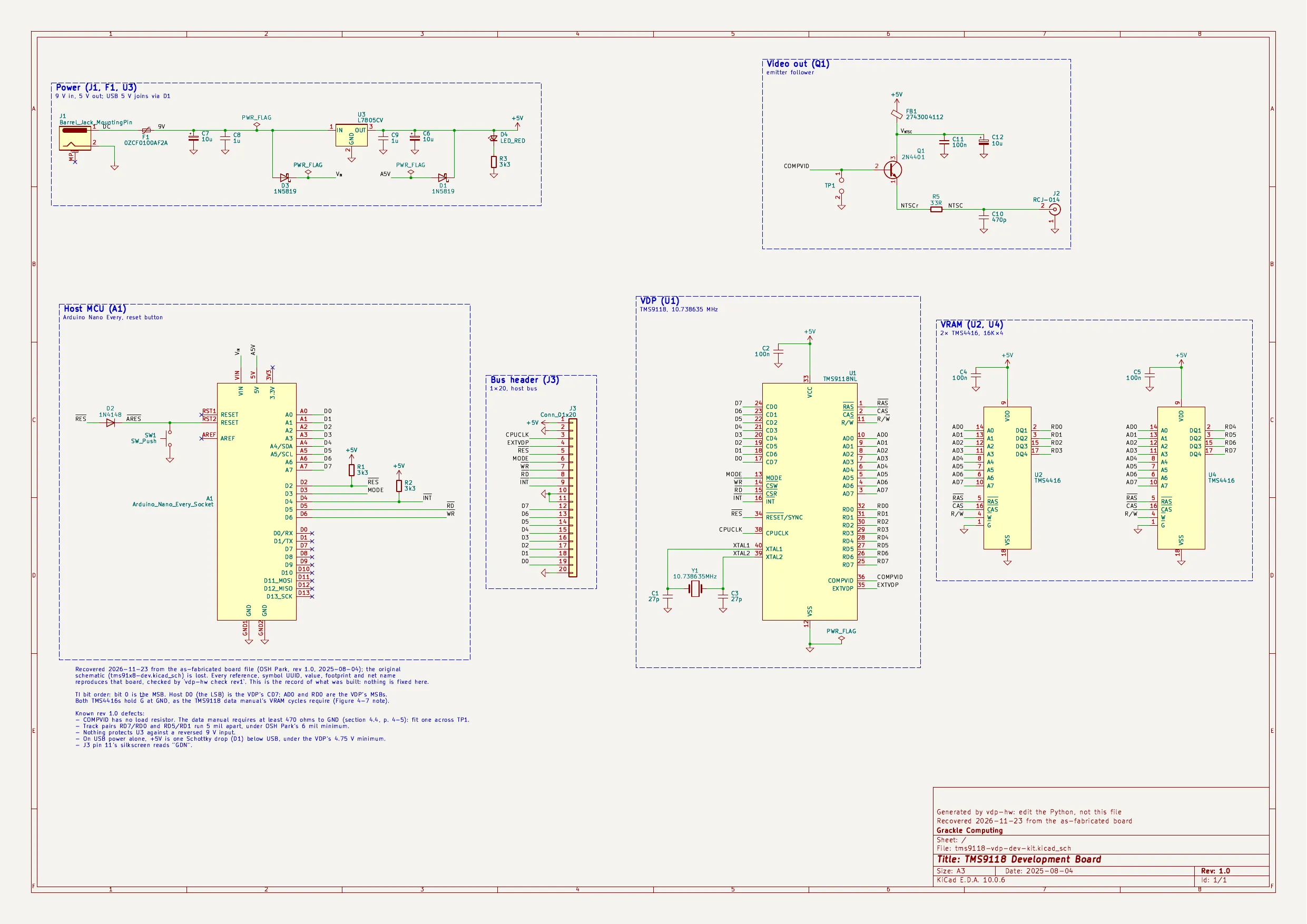
I opened the generated project in KiCad. It looks good. Rev 1.0 is brought up first, with new firmware built with PlatformIO. Rev 2 waits for what bring-up shows.
First picture
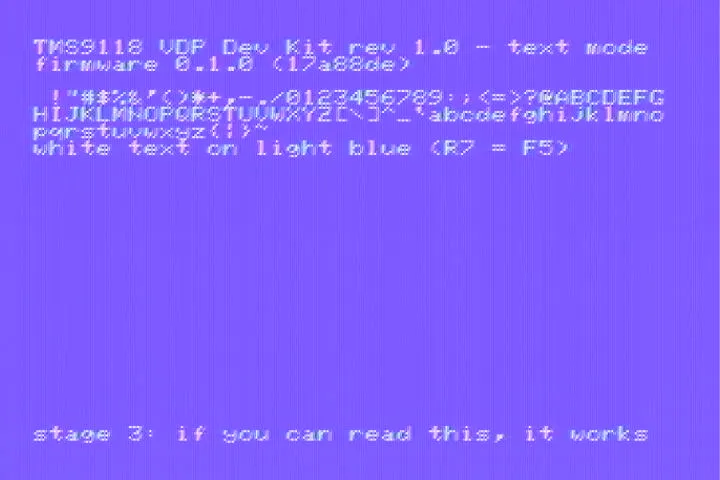
The firmware’s serial console tests the board one layer at a time: registers and a backdrop colour first, then a write and read-back of all 16 KB of VRAM, then 40×24 text mode.
The 470 Ω resistor is fitted across TP1, and the board runs from 9 V. The capture device shows a solid blue screen.
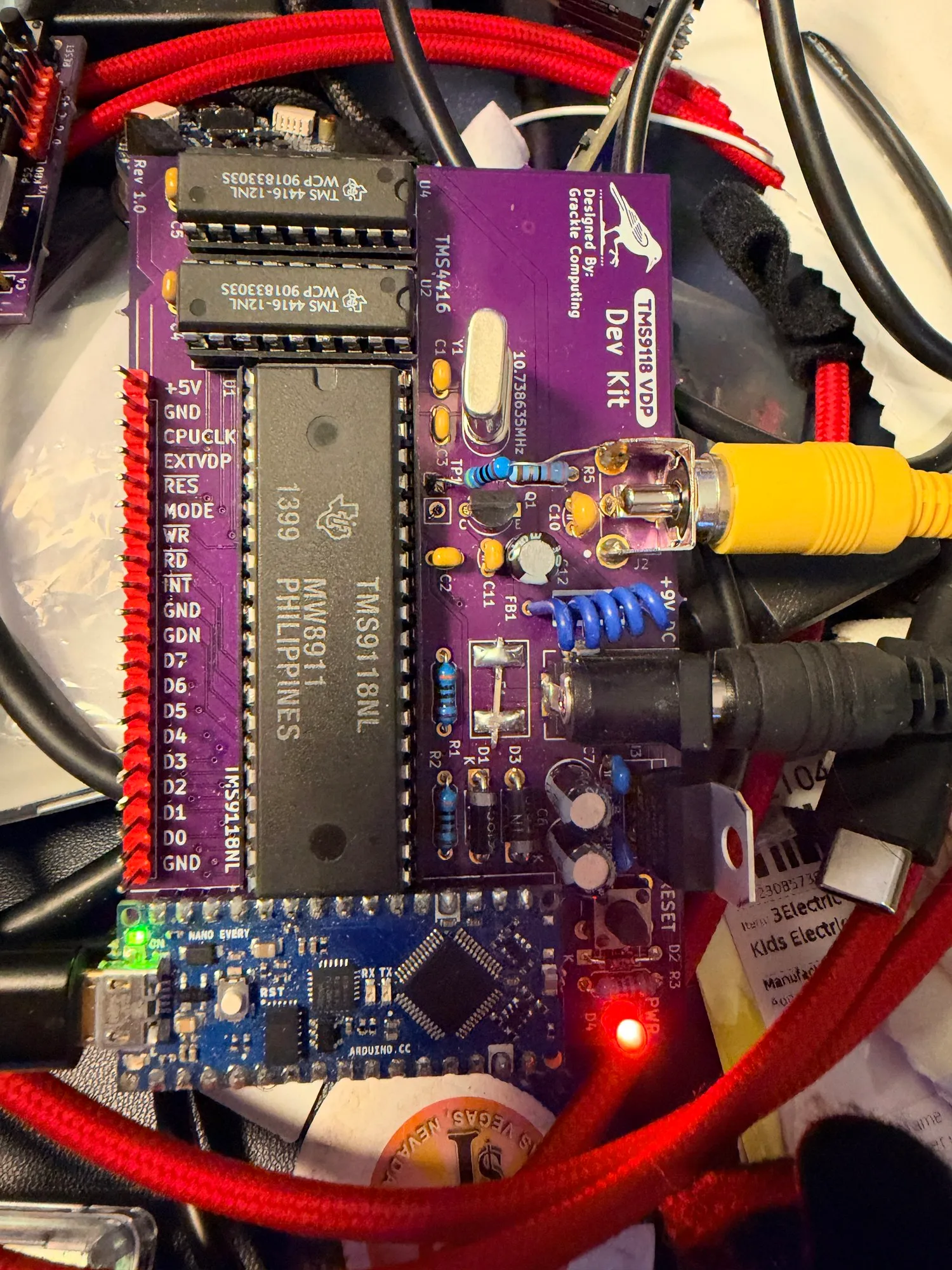
All three stages passed. The VRAM test made 360,448 reads and found no stuck, coupled or aliased bit. But the resistor and the new firmware arrived together, so this run doesn’t show which of them cured the original fault.
A bench that watches the screen
Write test scripts that exercise most or all of the text and graphics modes, judged automatically from the ClearClick USB capture device. Keep every capture in a gitignored folder in the repository, where I can look at it.
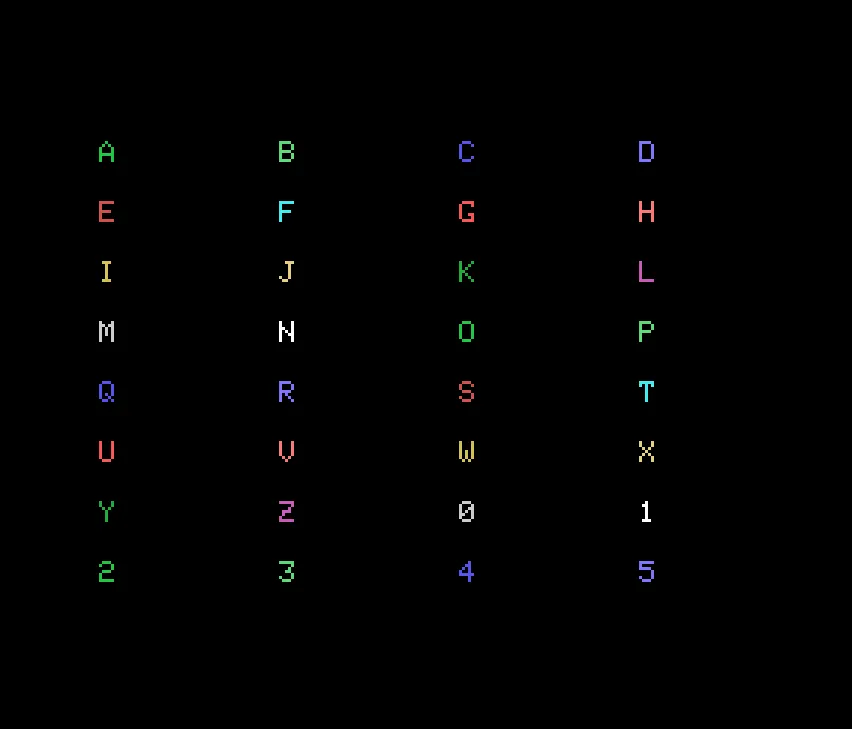
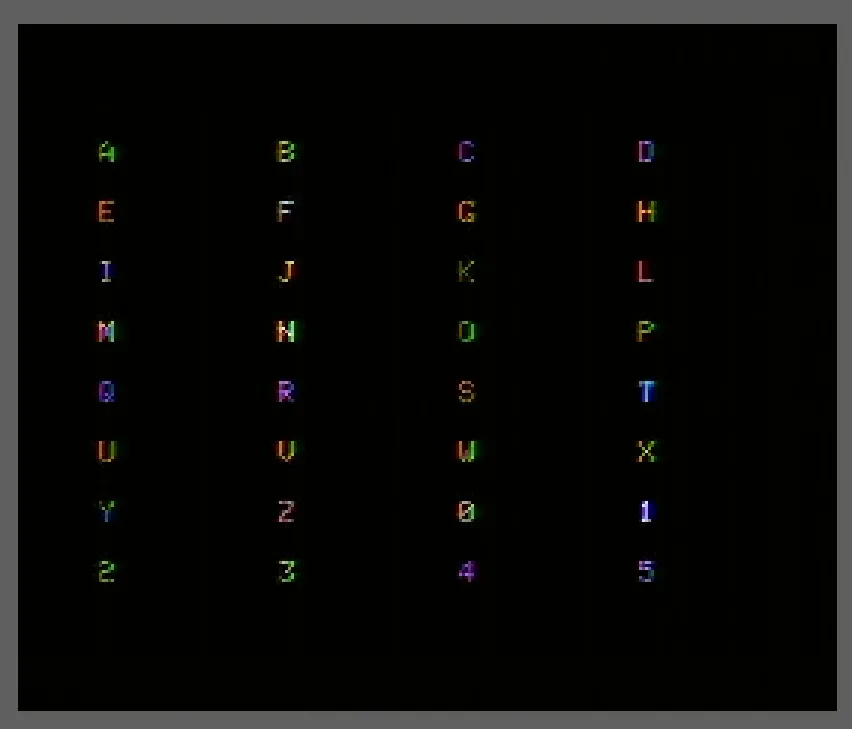
A Python reference renderer, written from TI’s rules, draws what the VDP should show. The firmware gained a script mode, so the host can load any screen onto the board. The suite then compares the captured picture with the prediction, cell by cell. Sixty tests cover every mode, every table-base bit, sprites, the status flags and the interrupt line.
macOS charges a process’s camera use to the app that started it. Started from the Claude Code app, this session’s captures were refused.
Granting camera permission did not fix it. Write a harness that runs in its own process, so it gets the camera permission, and that talks to the session over IPC or through a watched folder.
vdp-bench camera-server runs in your terminal and answers capture requests through a watched folder. With it, the first real runs failed, and the fault was mine, not the board’s. Composite colour edges ring, and some of my colour pairs were too close in brightness to show 1-pixel detail. Once I fixed the comparator, all 60 tests passed.
Show it off
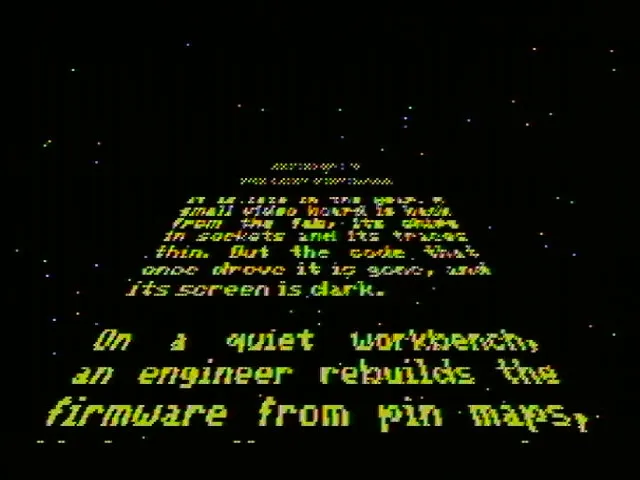
Write demos that show off the VDP’s capabilities. The first is a perspective title crawl, like the one that opens Star Wars.
TI’s data manual limits how often the CPU may access VRAM: once every 8 µs while Graphics II draws the active picture, but every 2 µs while the display is blanked or during vertical retrace (TMS9118 data manual, p. 4-4).
The crawl treats Graphics II as a 256×192 bitmap, and redraws every row from precomputed perspective tables. The words are original, about this board’s bring-up. Each update writes 3,184 bytes, and at 8 µs each, that alone takes about 25 ms. So the crawl runs at 20 updates a second.
The next demos show off the chip. Each demo, or each group of small ones, gets its own firmware build, and they are watch-only: they play in attract mode at power-up. Add a tool that records the reel.
The motion reel runs 17 scenes in three parts:
- Sprites: including eight on one line, where the hardware shows four.
- Multicolor: full-screen effects, redrawn 30 times a second.
- Tiles: tricks such as a parallax scroll.
vdp-bench reel flashes each build, records it, and cuts the video at markers the board prints. My biggest mistake showed up only on the board. I left the interrupt-enable bit clear, so every frame waited out a 50 ms timeout and the reel ran three times too slowly.
The reel MP4 is correct. With USB unplugged, the board does not play the reel.
My tools had put the bench firmware back on the board, which has no attract mode, and I hadn’t told you. And while the 9 V is connected, unplugging USB doesn’t reset the Nano. I had also ticked “plays from 9 V alone” without running that check, so I reopened it.
With USB unplugged and the 9 V power cycled, the reel plays at power-up.
The finished reel: one pass of the motion reel, then the crawl, 3 minutes 35 seconds in all.
Rev 1.0 now passes all 60 mode tests and plays its own demo reel. Rev 2 comes next. Will it be a fresh coat of paint or a real evolution? Wait and see…